From prompt to trial subscription: Typeform AI, Zapier, and Bunny

Something shifted recently in how we think about setting up new lead capture workflows. Not because of a product update or a new process we invented - but because we typed a single sentence and watched two AI systems coordinate to build something we would normally have spent an hour configuring manually.
This is a short story about that experience, and what it means for anyone running a SaaS business who wants to spin up trial sign-up flows quickly.
The prompt
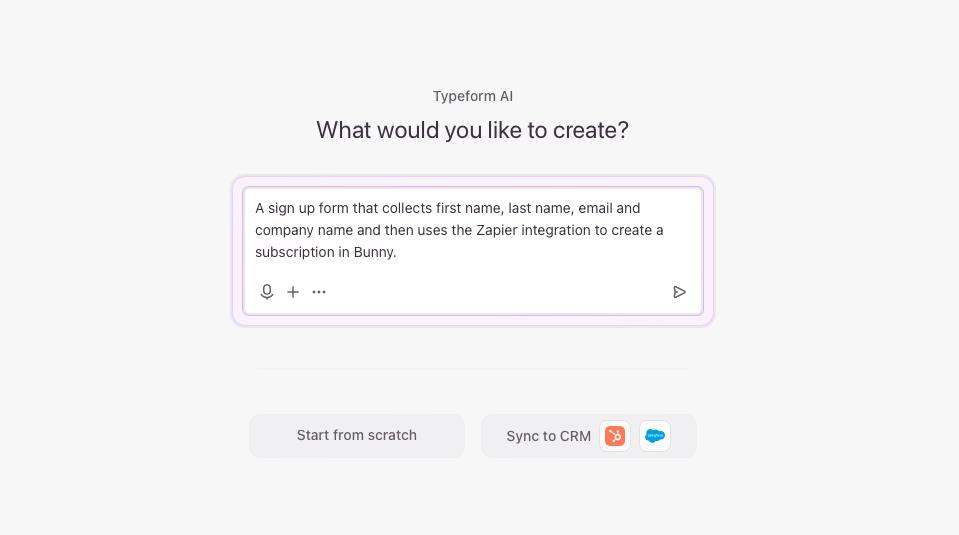
We opened Typeform AI and typed:
Create a sign up form that collects first name, last name, email and company name and then uses the Zapier integration to create a subscription in Bunny.
That’s it. One sentence describing the end result we wanted.
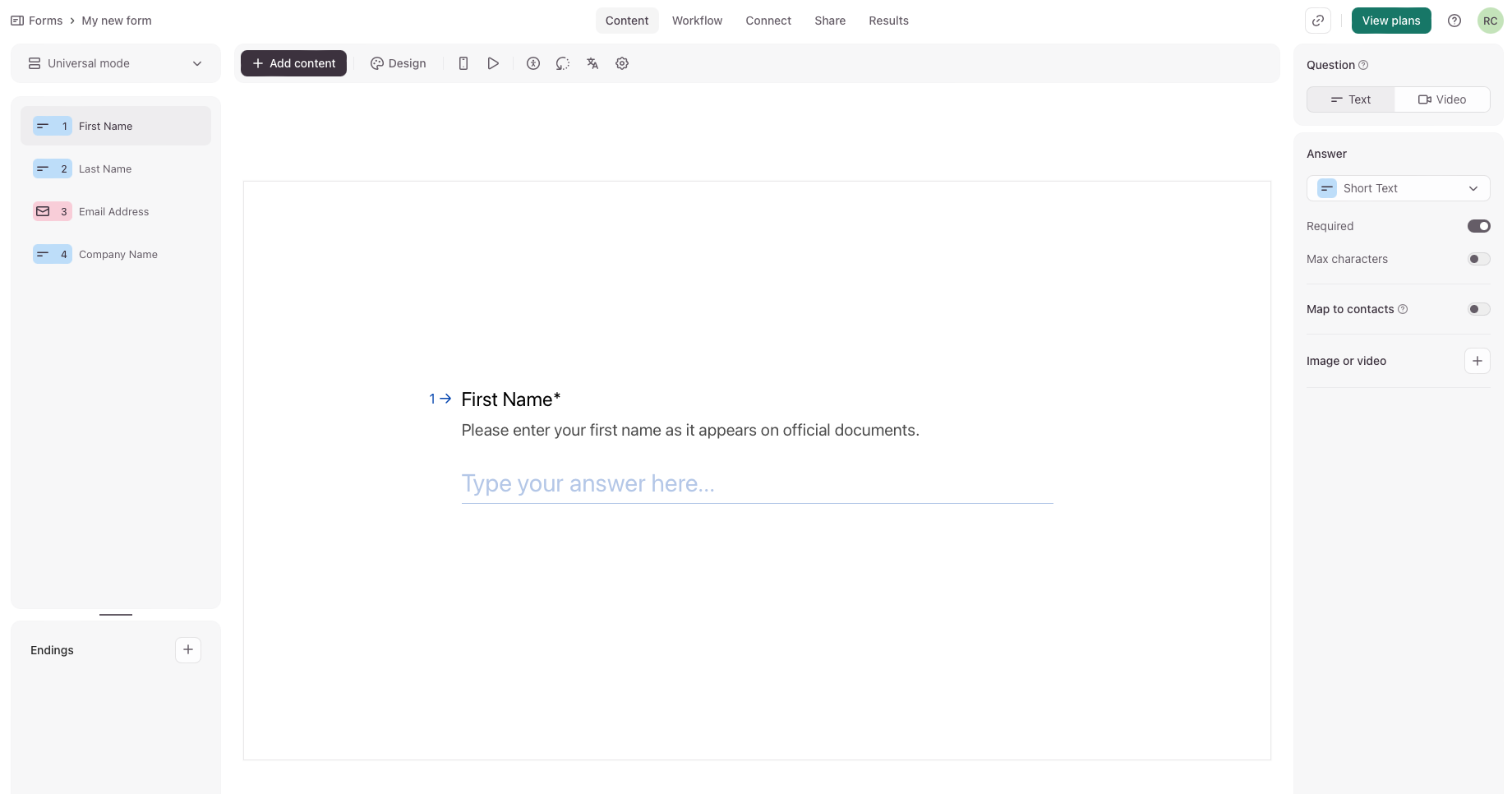
Within seconds, Typeform had generated a complete trial sign-up form with all four fields - first name, last name, email address, and company name - laid out and ready to go. No template browsing. No drag-and-drop field configuration. No deciding what to label each input.
The handoff
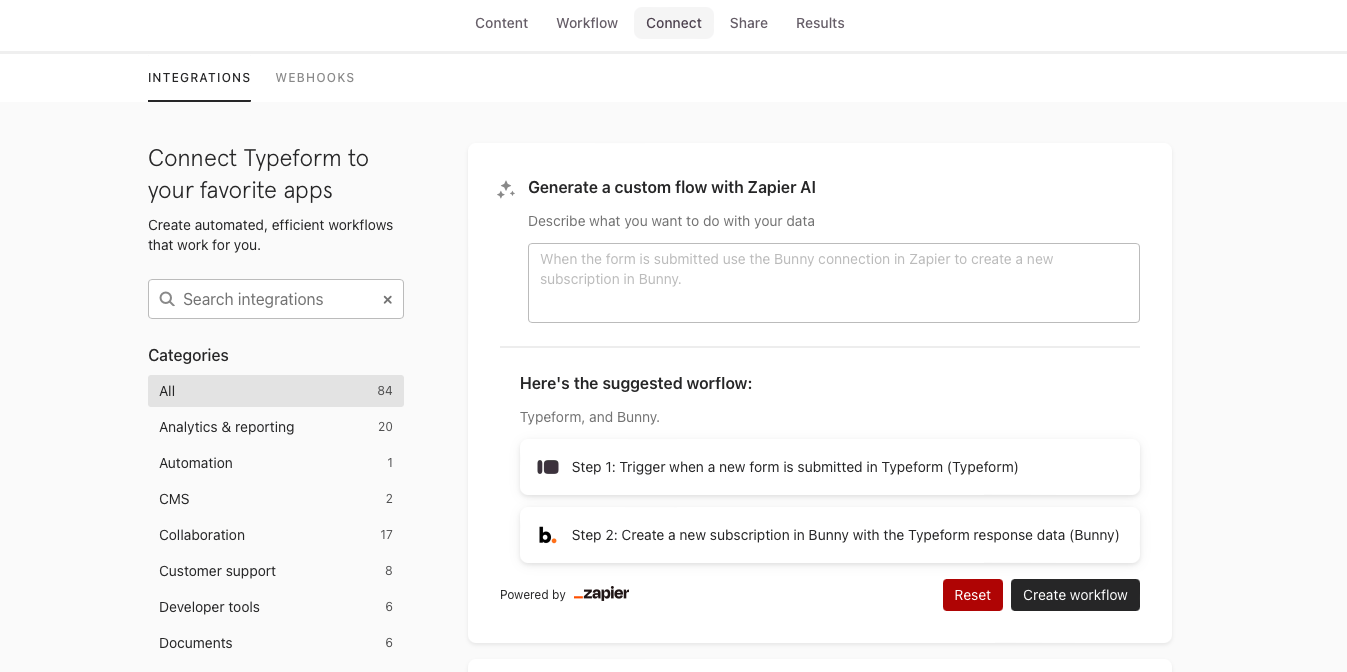
Here’s where it gets interesting. We didn’t then have to separately figure out how to connect Typeform to Zapier, or go look up what a Bunny Zap is supposed to do. Typeform’s Connect tab had already picked up on the intent in the original prompt and suggested a Zapier workflow automatically.
The suggested flow was exactly right: trigger when a new form entry is submitted, then create a subscription in Bunny.
When we opened that in Zapier, the Zapier AI had pre-built the Zap and mapped the form fields to the corresponding Bunny subscription fields - first name, last name, email, and company all wired up to the right inputs on the Create Subscription action.
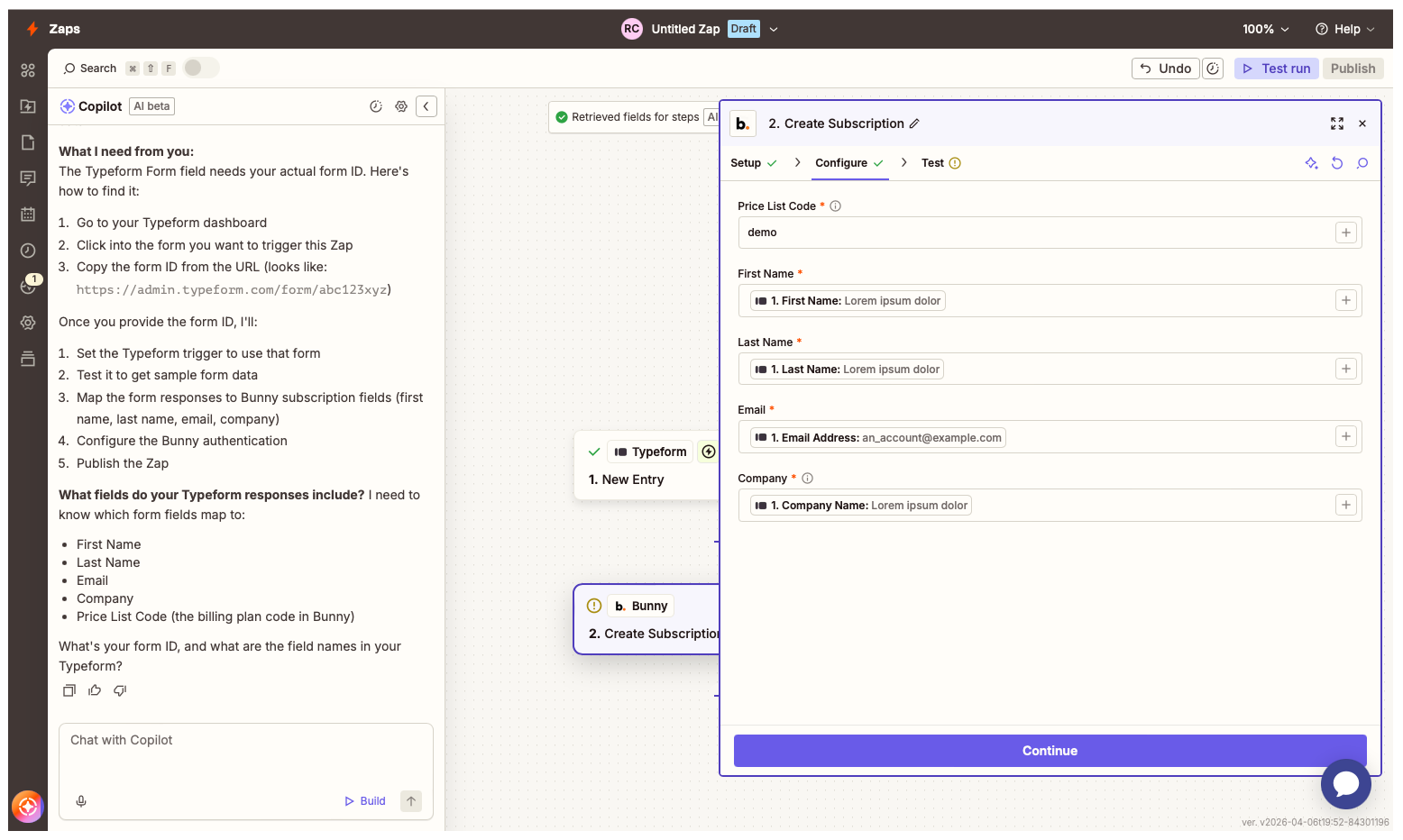
We added the Price List Code for our trial plan, ran a test, and it worked. From prompt to working integration in a few minutes.
Why this matters
The remarkable thing here isn’t that the tools saved us a few clicks. It’s that we didn’t need to know how to use Typeform or Zapier to accomplish something non-trivial. We didn’t read documentation. We didn’t watch a tutorial. We just described what we wanted, and two AI systems - one inside Typeform, one inside Zapier - figured out how to collaborate to deliver it.
That’s a genuinely new kind of software experience. The interface is now the outcome you’re trying to achieve, not the steps to get there.
The practical use case: multiple campaign forms
For B2B SaaS companies running growth experiments, this pattern is particularly powerful. You can spin up multiple landing pages targeting different audiences - each one backed by its own Typeform with its own Zapier Zap pointing at a different Bunny Price List Code. One form for a startup tier, another for a mid-market trial, another for a specific vertical or campaign.
Historically, setting up each of those meant creating the form, figuring out the Zapier integration, mapping fields, testing it, and repeating for each variation. That overhead was often enough to discourage experimentation - teams would create one generic sign-up flow and use it everywhere, even when it wasn’t the right fit.
With Typeform AI doing the form building and Zapier AI handling the integration wiring, the marginal cost of a new campaign-specific form approaches zero. You can iterate on offer and positioning freely, with each variation feeding clean subscriber data directly into Bunny.
Get started
If you’re already using Bunny with Zapier, trying this out takes minutes. Open Typeform AI, describe the form and outcome you want, and follow the suggested Zapier workflow from the Connect tab.
If you haven’t set up the Bunny + Zapier integration yet, full instructions are in the Bunny documentation. And if you’re new to Bunny, book a demo to see how automated subscription provisioning fits into your billing setup.