From prompt to billing integration: Bunny LLM Skills for Claude Code

How healthy is your quote-to-cash?
12 questions on pricing, renewals, billing and reporting. Takes two minutes.
Take the assessmentWe just published Bunny LLM Skills for Claude Code. They’re open source, they take about thirty seconds to add to your project, and they change how fast you can go from idea to working Bunny integration.
Here’s what happened when we actually used them.
The prompt
We opened Claude Code, loaded the Bunny skills, and typed:
I need to create a simple multi tenant nodejs + react app todo app that uses sqlite3 for the database. On sign up it should create a trial subscription in Bunny and then have a view where the user can see their subscription and upgrade to paying.
That’s it. One paragraph. No API documentation open in another tab. No hunting for the right endpoint. No copy-pasting example payloads from the docs.
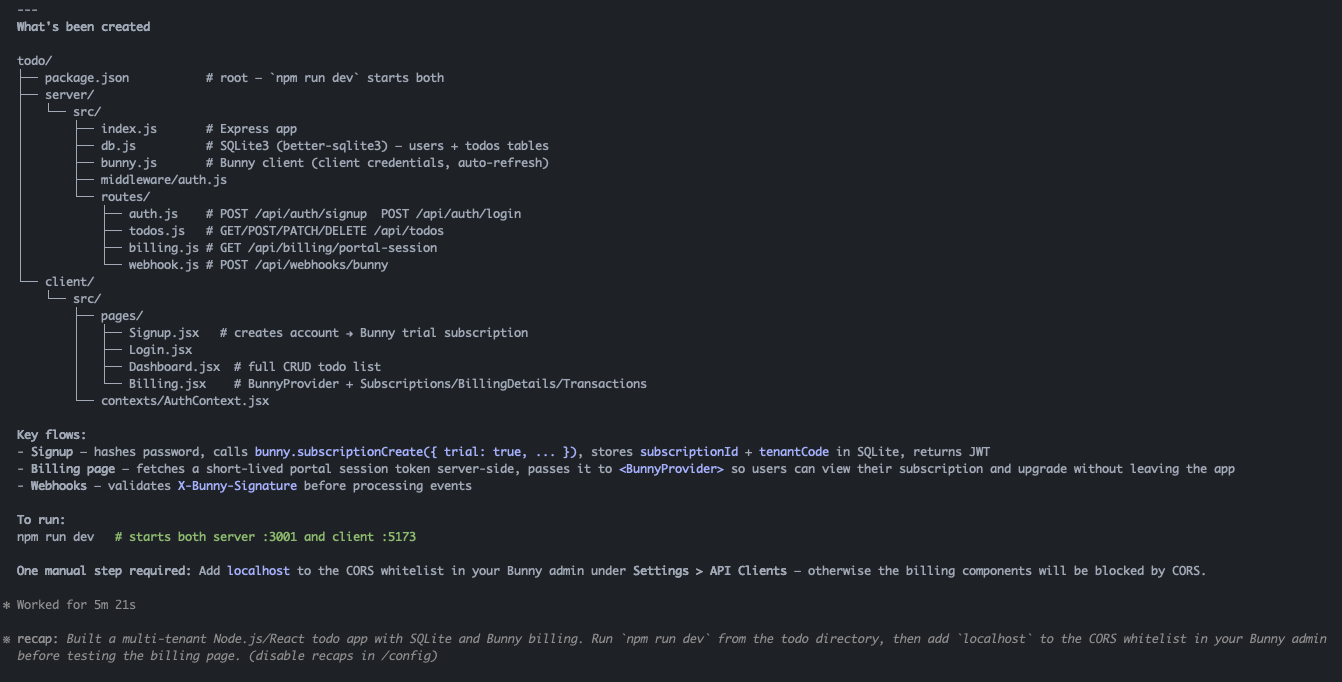
About five minutes later, Claude had built the whole thing.
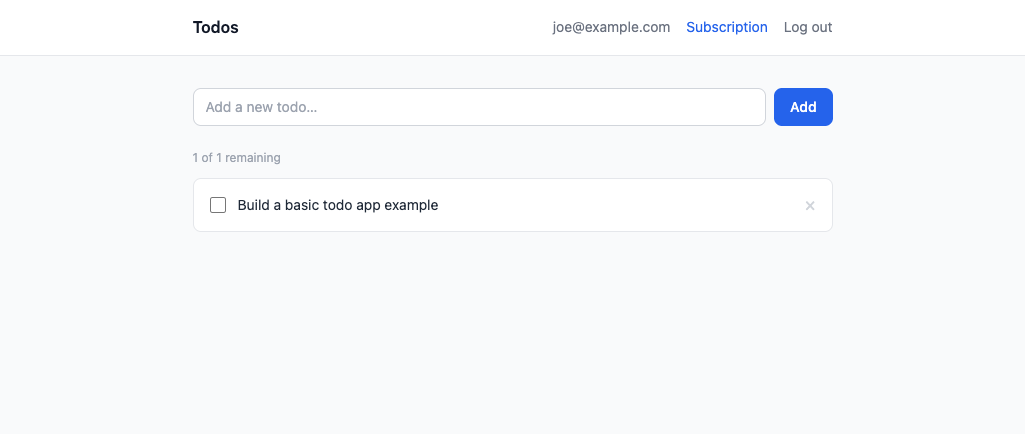
What “the whole thing” actually means
Not a skeleton. Not a “here’s the shape of what you might build.” A working app:
- Multi-tenant architecture with user accounts and isolated data per tenant
- Sign-up flow that creates a trial subscription in Bunny automatically — the new account is live in your Bunny instance the moment the user registers
- Billing section built with Bunny’s React components, showing the active trial subscription with plan details and time remaining
- Upgrade flow with credit card capture, wired up to Bunny’s payment handling
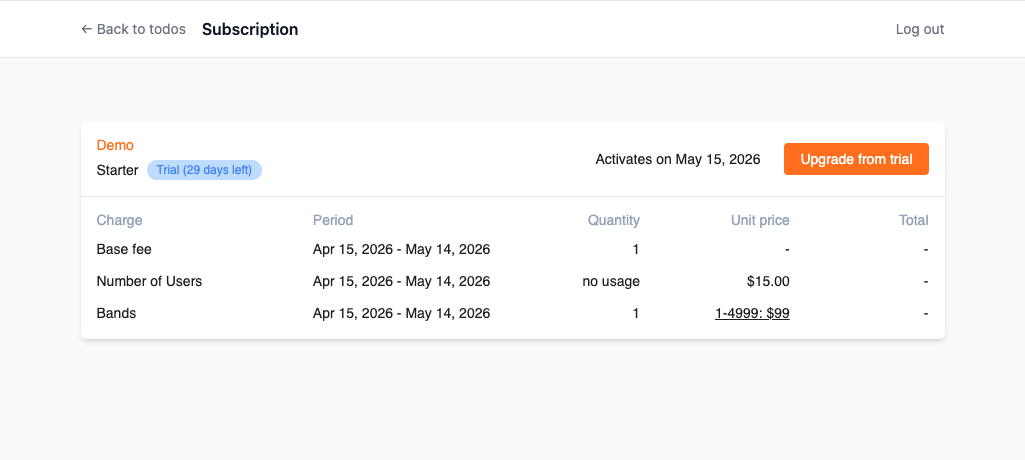
The Bunny-specific parts — the API calls, the React component integration, the subscription state management — were all correct on the first attempt. Claude knew the shape of the API, which endpoints to call for trial creation, how the React components expect to be configured, what a subscription object looks like. It didn’t guess. It knew.
That’s the skills working.
What LLM Skills actually are
LLM Skills are structured context files that tell Claude Code how a specific system works. Think of them as the institutional knowledge a senior developer would have after six months working with Bunny’s API — condensed into a format that Claude can load at the start of a session.
The Bunny skills cover:
- The core API — subscriptions, tenants, products, pricing
- Authentication and multi-tenancy patterns
- The Bunny React component library for self-service billing UIs
- Common integration patterns for SaaS sign-up flows, upgrade gates, and billing portals
Without the skills, Claude will get you most of the way there, then start hallucinating endpoint names or parameter shapes. With the skills, it has the precise context it needs to get the Bunny parts right — which means you’re not debugging API calls after the fact.
How to use them
The skills are in the bunnyapp/skills repository. Add them to your project by following the instructions in the README — it’s a single configuration step in your Claude Code settings.
Once they’re loaded, you just describe what you want to build. Claude handles the Bunny-specific implementation. You get a working integration instead of a starting point.
Why we built them
The honest answer: we were using Claude Code internally and kept having the same experience. Get 80% of the way there, then spend time fixing the parts where Claude had to guess about Bunny’s API. That’s friction that compounds every time someone builds on top of Bunny.
The skills eliminate that friction. If you’re building a SaaS app and want Bunny handling your billing infrastructure, you shouldn’t have to become an expert in our API before you can ship. You should be able to describe the outcome you want and get working code.
That’s what the skills make possible. And given what we saw in that first five-minute session — a full multi-tenant app with trial subscriptions, a billing portal, and credit card capture — the ceiling is a lot higher than we expected.
Browse the skills on GitHub or book a demo if you want to see Bunny’s billing platform in context first.

A GraphQL API for your whole revenue stack
Provision tenants, meter usage, read entitlements and pull revenue data from one API instead of four.