AI RevOps, built into
your billing system.
Bunny is SaaS billing, CPQ and RevOps for B2B SaaS. The Bunny RevOps Agent is AI RevOps built into it: ask about MRR, renewals or overdue invoices, then have it draft the renewal quote or set up the subscription — in Bunny, in Slack or in your own AI tool, on your live data.
I've prepared a draft renewal quote with a 10% discount for Acme Co. Proposed MRR is $12,825.
What is AI RevOps?
AI RevOps is revenue operations run with an AI agent that works directly on your quote, subscription, invoice and revenue data. It answers questions like “what’s our MRR?” or “which renewals are coming up?”, then does the follow-up work — drafting renewal quotes, flagging overdue accounts, setting up subscriptions — with a person approving anything that touches billing.
It’s the same discipline as RevOps — one team owning the systems and data behind every dollar of revenue — with the repetitive lookups and data entry handed to an agent.
What is a RevOps agent?
A RevOps agent is an AI assistant connected to your billing system that can both read and act. Ask it a question in plain language and it answers from live data; give it a task and it carries it out inside your existing permissions. Bunny’s RevOps Agent does this on the same records that drive quote-to-cash, so the answer and the action come from one source of truth.
Why it only works on a single system of record
An agent is only as good as the data it can reach. If quotes live in one tool, subscriptions in another and invoices in a third, the agent inherits every reconciliation gap. Bunny keeps them in one place — see revenue operations software for how.
What does a RevOps AI agent actually do?
Five jobs RevOps teams hand to the Bunny RevOps Agent every week. Each one runs on live Bunny data, and anything that bills a customer stays a draft until someone on your team applies it.
-
01 · Renewal quotes
Never let a renewal go unworked
“Which renewals in the next 90 days haven’t had a quote sent? Draft one for Silverfern with a 5% uplift.”
The agent lists upcoming renewals, flags the renewal deals nobody has touched, and drafts the renewal quote — price adjustment, term and all — ready for review. More on renewal management.
-
02 · Collections
Know exactly who owes what
“Which accounts have invoices more than 30 days overdue? Give me a CSV with links.”
It reads AR aging from current to 91+ days, lists at-risk accounts with the amounts overdue, and exports the list with a link to each account — while Bunny’s dunning workflows keep the reminders going.
-
03 · MRR questions
Answers without building a report
“What’s our MRR, and how much of last quarter’s movement was expansion versus churn?”
MRR and ARR, new, expansion, contraction and churn, NRR, GRR and retention cohorts — read from the same pre-computed analytics that power Bunny’s dashboards, not worked out by hand.
-
04 · Deal desk
Structure the deal, check the discount
“Quote Acme 50 seats on Pro, ramping to 100 in year two, with the first month free. What will the first invoice be?”
It composes the quote with ramps, discounts and free periods, previews the invoice before anything is billed, and shows where live subscriptions sit below list price so you can spot discount leakage. It’s Bunny CPQ, driven by conversation.
-
05 · Forecasting
See the cash coming in
“What are we expecting to invoice each month for the next two quarters, split by recurring and usage?”
Bunny keeps a 24-month invoice forecast per account, built from committed recurring fees and usage estimated from past periods. The agent reads it, breaks it down by month and currency, and lines it up against upcoming renewals.
-
Read: AI renewal management for expansion revenue
And the setup work nobody wants
Upload a signed contract and it drafts the account and subscription. Point it at a pricing page and it builds the catalog. Ask for the top 50 customers by MRR and it hands you a CSV.
Watch the RevOps Agent at work
46 seconds: the agent reads a signed contract and sets up the subscription, then drafts upgrade quotes for every Starter account over 80% usage — each step ready for review before anything is applied.
Read the transcript
Give Bunny the task. Stay in control of the result. The agent extracts the plan, quantity, price and billing schedule for review. Check the proposed subscription, then apply it when you are ready. Review the subscription and billing schedule created from the contract.
Ask for upgrade quotes for Starter accounts above 80% usage. The agent prepares the quotes. Review the account selection and proposed pricing. Review the drafts and submit them for approval before customer delivery. Your revenue operations, with an agent on your team.
Fast on the boring bits.
Careful with the money.
Nobody wants an AI quietly repricing their biggest account at 2am. The agent moves quickly through the work that should be quick — and stops where a person should be looking.
Just ask
“Which accounts renew this month?” “What is Acme paying us now?” The agent reads your live Bunny data and answers in the chat. Nothing changes, so ask anything you like — this is the half of RevOps that usually costs you an afternoon.
Let it do the typing
Ask for the renewal quote with a 10% uplift and you get a draft, built from the real subscription, with the numbers already worked out. It stays a draft until somebody applies it. Read it, change it, or throw it away.
Then you decide
Apply the quote and it becomes a real subscription, invoice and renewal date. Every action the agent takes runs inside the permissions of the person who asked — so it can never do something that person could not do themselves in Bunny.
Your permissions, not its own
The agent has no special access. It acts as the authenticated user, so your existing roles do the work they already do.
Questions can't break things
Read-only tools are genuinely read-only. Looking something up cannot change a subscription, an invoice or a price.
Drafts until you say so
Quotes stay as drafts until someone applies them — the same approval flows your team already uses still apply.
Want to see it on a workflow of your own? Walk through it with us.
From quick lookups to complex workflows
The RevOps Agent understands natural language and works within your Bunny permissions. Whether it's a simple question or a multi-step task, just ask.
It doesn't just answer. It does the work.
Most AI tools stop at an answer. The RevOps Agent reads your live Bunny data, brings real B2B SaaS judgement to it, and then goes and makes the change — subscriptions, discounts, renewals, your whole catalog.
Meet it where your team already works
Access the RevOps Agent directly inside Bunny, from Slack, or via MCP in your AI tool of choice.
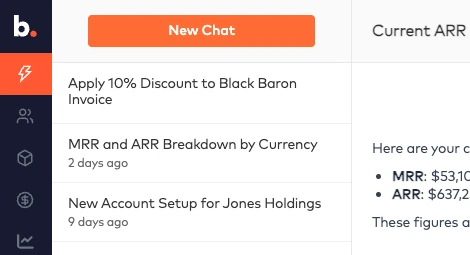
Built into Bunny
Access the agent directly from within the Bunny app. It's always a click away and has full context of the page you're working on.

Slack bot
Add Bunny Agent to any Slack channel. Your whole team can ask questions, assign tasks, and get revenue updates without leaving Slack.


MCP
Connect via MCP and use the RevOps Agent from Claude, ChatGPT, or any MCP-compatible AI tool — with your Bunny data always available.
How the MCP server worksConnect your AI agents to Bunny
Bunny ships an MCP server with 32 tools and 12 live data resources — so any MCP-compatible AI agent can query your data, take real actions, and run billing workflows as part of a larger AI team.
The RevOps expert your team never had.
- Type "send upgrade quotes to all starter plan accounts" — done in seconds
- Know which renewals need you this month, while there is still time to do something about it
- Find every overdue invoice in one question, instead of one account at a time
No credit card required. Cancel anytime.