Salesforce CPQ End of Life: What It Means and How to Migrate

How healthy is your quote-to-cash?
12 questions on pricing, renewals, billing and reporting. Takes two minutes.
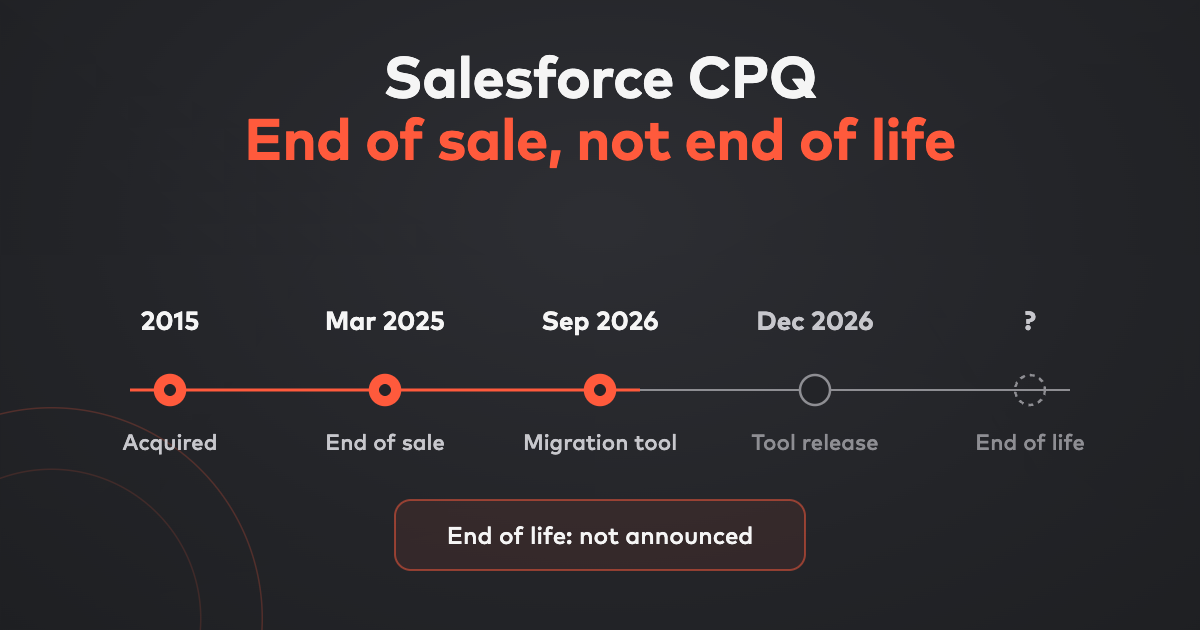
Take the assessmentSalesforce CPQ is not end of life — it is end of sale. Salesforce stopped selling CPQ to new customers in March 2025 and moved it into a maintenance phase. Existing customers can keep using it, add users, renew and get support, and Salesforce has not announced a date when support ends. What has changed is direction: every new feature now goes into Salesforce Revenue Cloud, and staying on CPQ means running a product that will not get better.
We are Bunny — SaaS billing, CPQ and RevOps for B2B SaaS — so we have a view on where you should go next. This guide sticks to what Salesforce has actually said, separates it from what is circulating on LinkedIn, and sets out every option fairly, including the ones that are not us. We will update it as Salesforce announces more.
Is Salesforce CPQ end of life?
No. Salesforce’s own page on the subject is titled “Salesforce CPQ Not End of Life”, and it draws the line clearly:
- End of sale means Salesforce no longer sells new Salesforce CPQ licences to new customers. That has happened.
- End of life means a product is no longer supported or maintained. That has not happened, and no date has been announced.
So if you run Salesforce CPQ today, nothing breaks tomorrow. Your quotes still generate, your renewals still come up, and your contract is unaffected.
What Salesforce has announced so far
Here is everything Salesforce has said publicly, without the speculation:
- No new customers since March 2025. The CPQ managed package (the product Salesforce bought as SteelBrick) is end of sale.
- Existing customers are covered. They can continue using Salesforce CPQ, buy additional users, renew licences and receive support.
- Maintenance phase. Salesforce CPQ receives support and critical fixes. New innovation is focused on Revenue Cloud Advanced.
- No forced migration. Salesforce says existing customers do not need to move immediately.
- No end-of-life date. Salesforce has not announced one.
- A migration assistant is on the roadmap. At Dreamforce 2026 (September 15–17), Salesforce announced a CPQ migration assistant to move configuration and data from the CPQ managed package to Revenue Cloud, with a target date of December 2026. It is a roadmap date, not a shipped tool, and Salesforce did not say what it will leave behind — custom code, quote templates and integrations are the usual suspects.
What Salesforce has not announced: an end-of-support date, a price for migrating, or any new features for CPQ itself.
About those dates on LinkedIn
You will see “March 31, 2027” and “2029–2030” quoted as Salesforce CPQ shutdown dates. Salesforce has not announced either. Some may reflect individual contract terms or partner guesswork; none are product announcements. Plan against what Salesforce has published, and check your own order form for renewal dates.
Salesforce CPQ timeline
| Date | Event | Status |
|---|---|---|
| December 2015 | Salesforce agrees to acquire SteelBrick, whose product becomes Salesforce CPQ | Done |
| March 2025 | End of sale: no new Salesforce CPQ licences for new customers | Done |
| October 2025 | Revenue Cloud rebranded Agentforce Revenue Management at Dreamforce 2025 | Done |
| July 2026 | Salesforce publishes “end of sale, not end of life” guidance confirming no forced migration | Done |
| September 2026 | Dreamforce 2026: CPQ migration assistant announced | Done |
| December 2026 | Target release of the CPQ-to-Revenue Cloud migration assistant | Roadmap |
| End of support | — | Not announced |
| End of life | — | Not announced |
A note on names, because Salesforce has used several. The successor has been called Revenue Lifecycle Management, Revenue Cloud Advanced and Agentforce Revenue Management. Salesforce’s product and pricing pages currently sell it as Revenue Cloud, in Growth and Advanced editions. If a partner proposal uses any of those names, it means the same product family.
What end of sale means for existing customers
| Still true | What changed | |
|---|---|---|
| Using Salesforce CPQ | Yes, as today | — |
| Renewing your licence | Yes | — |
| Adding users | Yes | — |
| Support and critical fixes | Yes | Maintenance phase only |
| New features | — | Going to Revenue Cloud instead |
| New Salesforce CPQ customers | — | Not possible since March 2025 |
The practical risk is not a shutdown. It is drift. Every pricing change, new product line or acquisition you handle in Salesforce CPQ from here on is built on a platform with no roadmap, and each workaround adds to the eventual migration.
What are your options?
Broadly, four. They are not mutually exclusive in time — many teams stay put while they evaluate — but they are different end states.
| Option | Best when | Billing after signature | Effort |
|---|---|---|---|
| Stay on Salesforce CPQ | Your process works, and you have no big pricing changes coming | Unchanged: a separate billing system kept in step with the quote | None now; a migration later |
| Migrate to Salesforce Revenue Cloud | You are standardised on Salesforce and your complexity is product configuration | Invoicing and consumption billing in Revenue Cloud Advanced | Salesforce cites 3–6 months for a typical migration |
| Switch to a third-party CPQ | You want better quoting UX, contracts or deal rooms, and are happy to keep billing elsewhere | Depends on the tool; some now add billing | Varies by tool |
| Move to a CPQ + billing platform | You sell subscriptions, and most of your quotes are upsells and renewals | The quote becomes the subscription and invoice in the same system | Typically weeks with Bunny |
1. Stay on Salesforce CPQ (for now)
Reasonable if your quoting is stable. You lose nothing on day one. Set a review date anyway: the cost of staying rises with every customisation you add to a product that will not evolve.
2. Migrate to Salesforce Revenue Cloud
Salesforce’s recommended path. Revenue Cloud Growth lists at $150 per user per month and Revenue Cloud Advanced at $200 per user per month, billed annually; invoicing and consumption billing sit in Advanced. It is the right call when your complexity is in the configuration — compatibility rules, bundles, bills of materials — and you want everything native to Salesforce.
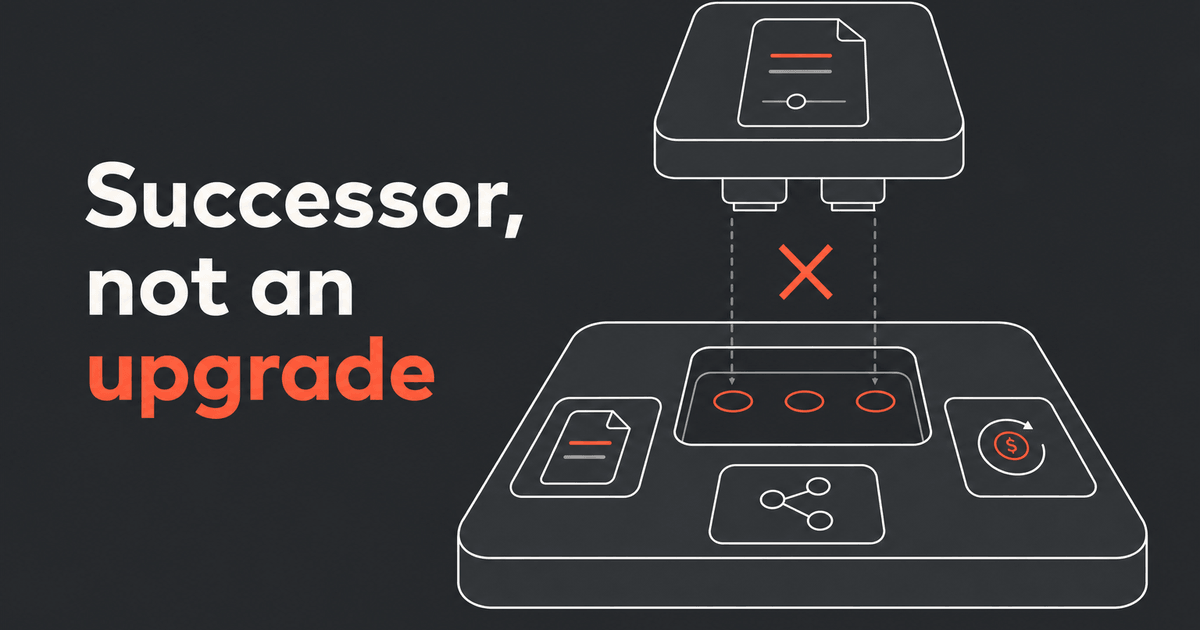
Go in with clear eyes: this is a new product on a new data model, not an upgrade. Salesforce says CPQ-specific objects need structured transformation, and a typical migration runs three to six months from discovery to go-live, usually with an implementation partner.
3. Switch to a third-party CPQ
DealHub and Subskribe are the most common names on Salesforce CPQ replacement shortlists, alongside long-standing CPQ vendors such as Conga. These tools integrate with Salesforce rather than living inside it. The question to ask each one is what happens after signature: if the answer is “we sync to your billing system”, you have kept the handoff that caused your quote-to-cash errors in the first place.
4. Move to a CPQ and billing platform
For B2B SaaS, this is the option most teams underrate. In a mature SaaS business, most quotes are not new business — they are upsells, mid-term changes and renewals. You cannot price those without knowing the current state of the subscription, and a CPQ that stops at the quote can’t know it.
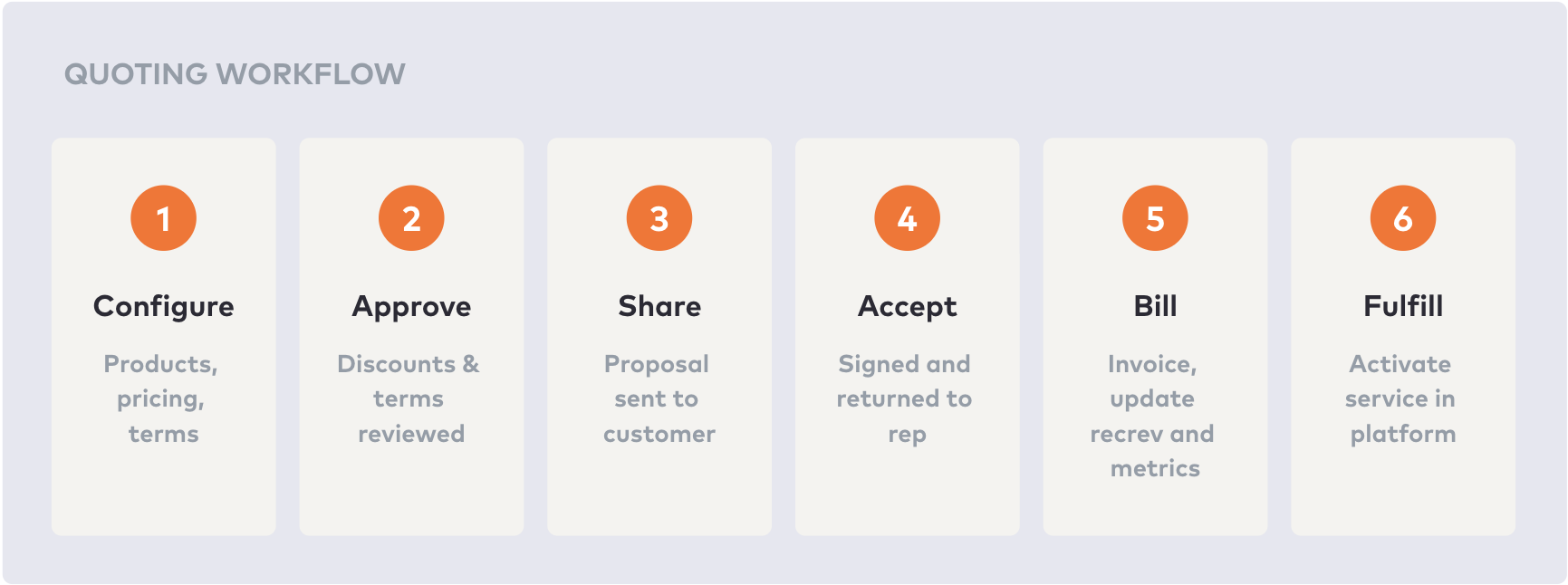
That is what Bunny CPQ for Salesforce is built for. Reps start the quote from the Salesforce opportunity, with ramps, usage charges, discounts and approvals. When the customer signs, the quote becomes the subscription, the invoice, the renewal date and the revenue recognition schedule in Bunny, and the deal’s amount, term and status sync back to Salesforce. Pricing is published: the SLG plan, which includes billing, is $150 per user per month, and revenue recognition comes with the Advanced Billing add-on. We compare all four options in detail on our Salesforce CPQ alternatives page.
Salesforce CPQ migration checklist
Whichever destination you choose, the preparation is the same. Work through this before you sign anything.
- Read your order form. Note your Salesforce CPQ renewal date and term. That is your real deadline, not a rumoured end-of-life date.
- Inventory your catalog. Products, bundles, options, price books, price rules and discount schedules. Flag anything created for a single customer.
- Inventory your customisations. Apex, flows, custom fields on CPQ objects (the
SBQQnamespace), quote templates and approval rules. Each one is either rebuilt, replaced by a standard feature or retired. - Map your integrations. E-signature, billing, ERP, tax and data warehouse. Write down which system owns each field after the move.
- Classify your quotes. Pull a year of quotes and split them into new business, upsells, renewals and amendments. If renewals and upsells dominate, weight your evaluation towards subscription handling, not configuration rules.
- Find the billing handoff. Trace one signed deal from quote to first invoice. Count every manual step and every sync. That is the process your new tool should shorten.
- Decide what history moves. Open quotes, active contracts and subscriptions must migrate; closed quotes may only need to be archived.
- Run the same scenario on every shortlisted vendor. A three-year ramp with a mid-term upsell and a renewal at a new price. Ask for the quote, the invoice and the revenue schedule.
- Plan the cutover. Pick a quiet sales period, freeze catalog changes, and keep Salesforce CPQ read-only for reference until the first renewals have run cleanly.
- Train reps last-mile. Reps care about one thing: building and sending a quote from the opportunity. Make that path work first.
Where Bunny fits
Bunny is not the right destination for everyone. If your complexity is configured physical products and bills of materials, stay in the Salesforce ecosystem. If you sell B2B SaaS — negotiated pricing, ramps, usage, renewals — the end of Salesforce CPQ is a chance to stop running quoting and billing as two systems. Book a demo and bring your hardest renewal.
Frequently asked questions
Is Salesforce CPQ end of life?
No. Salesforce CPQ is end of sale, not end of life. Salesforce stopped selling it to new customers in March 2025, but existing customers can keep using it, add users, renew and receive support. Salesforce has not announced an end-of-life date.
When does Salesforce CPQ support end?
Salesforce has not announced an end-of-support date. The product is in a maintenance phase, receiving support and critical fixes but no new features. Dates such as March 2027 that circulate online have not been announced by Salesforce.
What is replacing Salesforce CPQ?
Salesforce Revenue Cloud, sold as Revenue Cloud Growth and Revenue Cloud Advanced. It has also been branded Agentforce Revenue Management and, earlier, Revenue Lifecycle Management. It is a separate product, so moving to it is a migration rather than an upgrade.
Do I have to migrate off Salesforce CPQ?
Not yet. There is no forced migration and existing contracts are unaffected. The case for planning now is that Salesforce CPQ will not gain new features, so workarounds keep accumulating and every one of them has to be migrated later.
How long does a Salesforce CPQ migration take?
Salesforce says a typical migration to Revenue Cloud runs three to six months from discovery to go-live. A move to a subscription CPQ and billing platform such as Bunny is typically measured in weeks, because the catalog is rebuilt rather than every CPQ customisation being transformed.
Is there a tool to migrate from Salesforce CPQ to Revenue Cloud?
Salesforce announced a CPQ migration assistant at Dreamforce 2026 with a target date of December 2026. Until it ships, Salesforce points customers to partner-built migration accelerators.
Can I replace Salesforce CPQ and still keep Salesforce as my CRM?
Yes. Third-party CPQ tools including Bunny, DealHub and Subskribe integrate with Salesforce. With Bunny, reps start quotes from the Salesforce opportunity and the deal’s amount, term and status sync back to it.

Quoting built for subscription businesses
Bunny CPQ understands the full subscription lifecycle — new deals, upsells, renewals and ramps — not just the first signature.