Usage credits: sell prepaid credits and draw usage down in Bunny

How healthy is your quote-to-cash?
12 questions on pricing, renewals, billing and reporting. Takes two minutes.
Take the assessmentMore and more SaaS and AI products are priced in credits. Customers like them because they know what they’ll spend. Finance likes them because the cash comes in up front. And product teams like them because one credit can stand in for tokens, generations, minutes or whatever the product actually consumes.
Billing them is harder. A credit balance has to go down as usage happens, not once a month. Someone has to decide what happens when it hits zero. Credits included in a plan behave differently from credits a customer bought, and paid credits can’t be recognized as revenue until they’re used. Most teams end up with a balance in their own database, a spreadsheet for finance and a support queue for “why was I charged overage?”
Today we’re shipping usage credits in Bunny. Here’s how credits billing works in Bunny.
Billed in arrears, or drawn from credits
Every usage-based charge now has a choice. Billed in arrears works as it always has: Bunny counts the period’s usage and invoices it at the end. Drawn from credits takes each usage record as it arrives and draws it from the subscription’s credit balance straight away.
A credits charge can include a set number of credits every billing period, so a plan can come with 10,000 credits a month. You can also sell credits up front as a one-time charge, priced per credit, for customers who want to buy a bigger block.
Decide what happens at zero
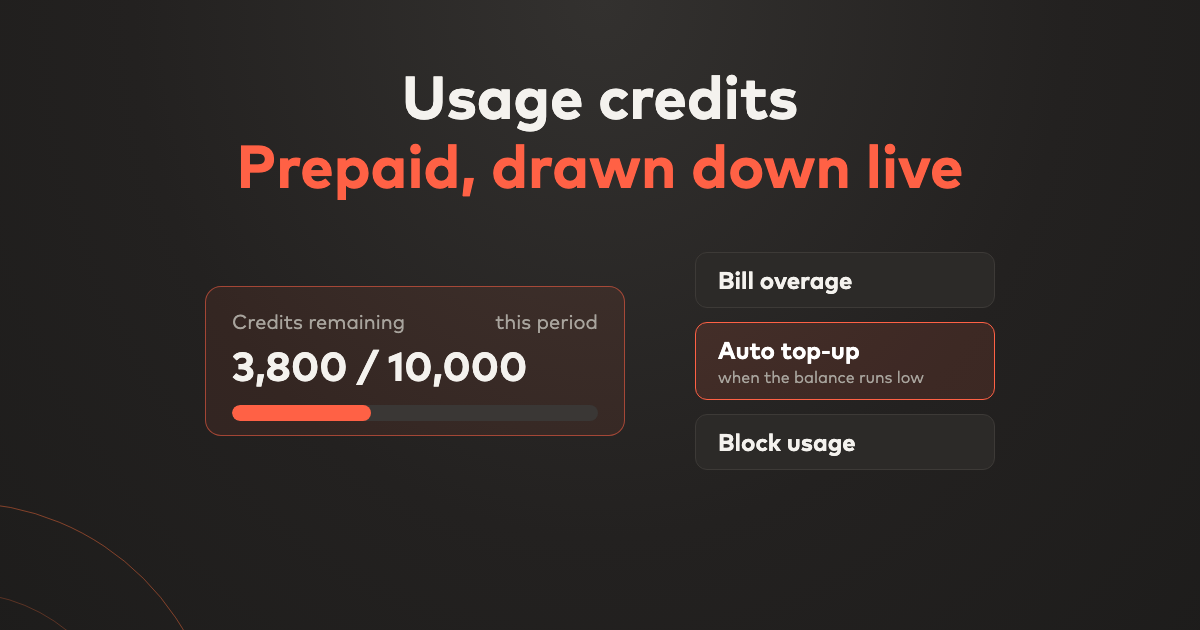
When a subscription’s credits run out, the charge does one of three things:
- Bill overage. Usage keeps working and anything past zero is billed at the charge’s price on the next invoice.
- Auto top-up. When the balance falls to a threshold you set, Bunny buys another pack of credits, invoices it and charges the customer’s default payment method. You can cap how many top-ups happen in a month.
- Block usage. Bunny marks the balance as blocked and doesn’t bill usage past zero. The balance comes back when you record usage, so your product can stop the customer there.
You set this on the charge in the catalog, and you can change it for a single subscription later.
See the balance where you work
Each subscription card now shows its credit balances: what was granted, what’s left and when it expires. From there you can Buy credits for a customer, Record usage by hand, or open the Ledger to see every grant, drawdown and top-up with the invoice behind it. Quotes and order forms summarize the credits a customer is buying, so sales and the customer see the same numbers.
Revenue that follows the credits
Paid credits stay in deferred revenue until they’re used. As usage draws them down, Bunny releases that revenue, and credits that expire unused are recorded as breakage. That’s the treatment described in our prepaid credits glossary entry, now done by the billing system instead of a month-end spreadsheet.
Get started
Usage credits are available now. Open a usage-based charge on any price list, choose Drawn from credits, and set the credits included each period and what happens when they run out. See the release notes for what else has shipped recently. If you’re moving a credits model into Bunny and want a hand, get in touch.

See what's new, in your own account
Every Bunny release ships to all customers. Start a free trial and use the latest platform from day one.