What Happens When Salespeople Touch Stripe Billing (And Why Your Metrics Never Recover)

How healthy is your quote-to-cash?
12 questions on pricing, renewals, billing and reporting. Takes two minutes.
Take the assessmentStripe Billing is genuinely good at what it was built for: self-serve, product-led subscriptions where every customer picks from the same handful of plans and swipes a card. The moment a salesperson needs to close a deal that doesn’t fit those plans — custom pricing, a bespoke bundle, a negotiated term — the same system that hums along fine for PLG starts breaking things it was never designed to handle. And the damage doesn’t stay contained to billing. It shows up weeks later as bad data in the boardroom.
This is one of the most common complaints we hear from B2B SaaS companies running Stripe Billing once sales-led revenue enters the picture: every time a rep needs to configure custom pricing, something downstream breaks. Here’s why that happens, and why it’s not really a Stripe problem — it’s a fit problem.
Why Stripe Billing Works Great Until Sales Gets Involved
Stripe Billing’s catalog model assumes a small, stable set of products and prices that every customer subscribes to. That’s exactly right for PLG, where pricing is public and uniform by design. It falls apart the moment a sales team needs to give one customer terms that don’t exist anywhere in the catalog — a custom discount, a non-standard bundle of add-ons, a price held over from a legacy contract, or a one-off SKU built just to close a specific deal.
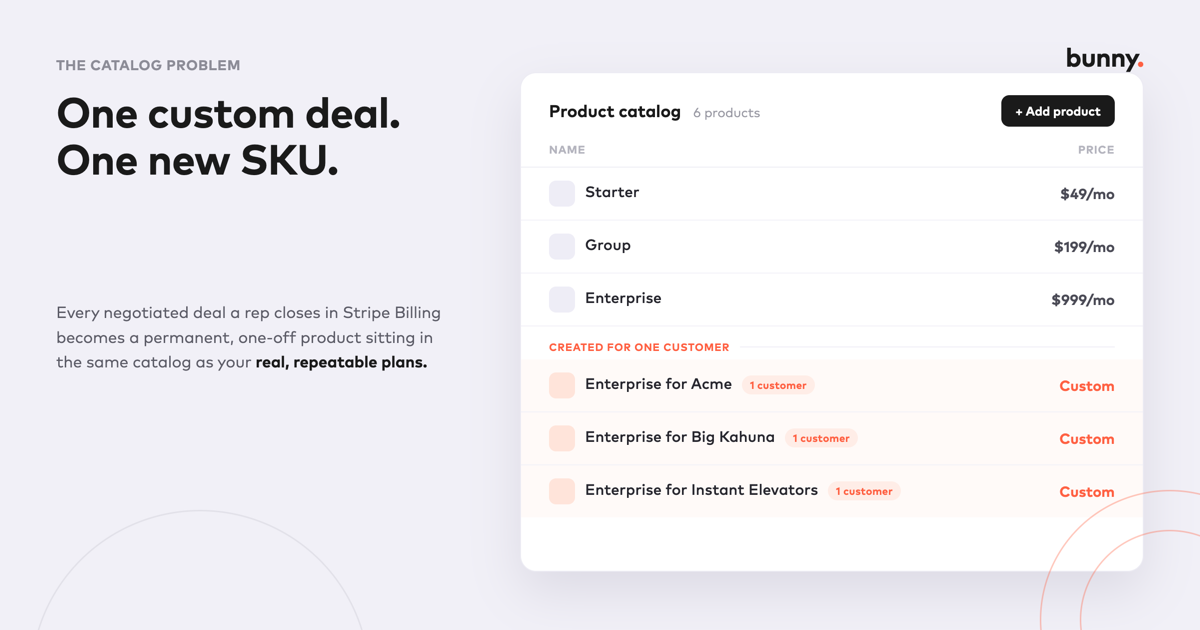
Stripe Billing has no native way to apply custom pricing at the subscription level without touching the catalog itself. So the workaround becomes standard practice: create a new product in the catalog just for that customer. Multiply that by every negotiated deal your sales team closes, and the catalog stops being a catalog — it becomes a running list of one-off products, most of which exist for exactly one customer and will never be sold again.
How One Custom Deal Turns Into a Catalog Full of One-Off Products
The pattern is almost always the same:
- A rep negotiates terms that don’t match a standard plan.
- Billing can’t represent those terms without a new product or price object, so one gets created.
- That customer-specific product now lives in the same catalog as your real, repeatable plans.
- The next non-standard deal repeats the process, and the one after that, and the one after that.
None of this is any single person’s mistake — it’s what happens when the tool doesn’t offer a better option. But a catalog full of customer-specific products stops being useful for anything except billing that one account. Reporting that rolls up “revenue by product” now mixes real product lines with phantom SKUs. Anyone trying to answer a simple question — which plans are actually selling, where is expansion coming from — has to first figure out which catalog entries are real.
Why Subscription Changes Start Reading as False Churn and Phantom New Business
This is where the damage compounds. Most revenue and metrics tooling — whether it’s built in-house or layered on top of Stripe — classifies MRR movement by comparing a customer’s subscription state from one period to the next. An upsell, a downgrade, a renewal: each of those labels depends on the tooling recognizing continuity, ideally the same customer moving from one identifiable plan to a related one.
Swap in a customer-specific product mid-contract, and that continuity breaks. The old subscription or price object disappears; a new, unrelated one appears in its place. Many metrics pipelines don’t see an upgrade — they see two unconnected events: a cancellation and a new sale. The practical result:
- A straightforward expansion gets recorded as churn plus new business, instead of the upsell it actually was.
- A negotiated downgrade can register as a full churn event, overstating logo and revenue loss.
- A renewal onto revised custom terms can show up as brand-new logo revenue, inflating new business numbers and hiding the fact that it was existing revenue all along.
None of this is visible from the top-line MRR number, which is exactly what makes it dangerous. The total might look roughly right. It’s the composition of that number — how much came from new logos versus expansion versus retained revenue — that quietly becomes fiction. And that composition is precisely what a board, an investor, or a CFO is trying to read when they look at NRR, GRR, and new-business ARR.
The Compounding Cost: Dirty Data Everywhere Downstream
Once a handful of custom deals have gone through this cycle, the damage isn’t isolated to one report. It shows up everywhere revenue data gets used:
| Where it shows up | What actually happened | What it looks like instead |
|---|---|---|
| Product catalog | Rep created a custom SKU to close a deal | Catalog cluttered with one-off products that skew “top plans” reporting |
| MRR movement / cohort analysis | Existing customer upgraded to a custom bundle | Shows as churn (old SKU) + new business (new SKU) |
| NRR / GRR | Customer renewed on revised, negotiated terms | Retention appears to drop even though the customer stayed and grew |
| New business ARR | Renewal or expansion on a custom product | Inflated new-logo numbers that don’t reflect real net-new revenue |
| Revenue recognition | Non-standard contract terms attached to a one-off SKU | Finance manually reconstructs the rev rec schedule instead of automating it |
| Board reporting | All of the above, reconciled under deadline | A pre-board scramble to hand-correct numbers everyone knows are wrong |
Each of these gets cleaned up by hand, usually right before a board meeting or a fundraising process, by someone reverse-engineering which subscription changes were “real” churn or new business versus artifacts of a catalog workaround. That’s expensive, error-prone, and it has to be redone every single reporting cycle, because the underlying system keeps producing the same distortion every time sales closes a non-standard deal.
This Isn’t a Stripe Failure — It’s a Fit Problem
It’s worth being precise about what’s actually going wrong here. Stripe Billing isn’t malfunctioning. It’s doing exactly what a general-purpose, PLG-oriented billing platform is built to do: manage a stable set of self-serve plans efficiently. The problem is applying it to a use case it wasn’t designed for — sales-negotiated, custom-priced, B2B contracts — and then being surprised when the workarounds required to make that fit generate bad data everywhere downstream.
Zuora, Chargebee, Maxio, and Recurly all face a version of the same tension, because they’re general-purpose platforms serving both B2B and B2C customers on the same product. Supporting arbitrary custom pricing well, without polluting the catalog or breaking metrics classification, requires being built specifically around how B2B SaaS companies actually sell — not retrofitted after the fact.
What Actually Fixes This
The fix isn’t a better spreadsheet for reconciling metrics after the fact — it’s a billing platform where custom pricing doesn’t require breaking the catalog in the first place. That means:
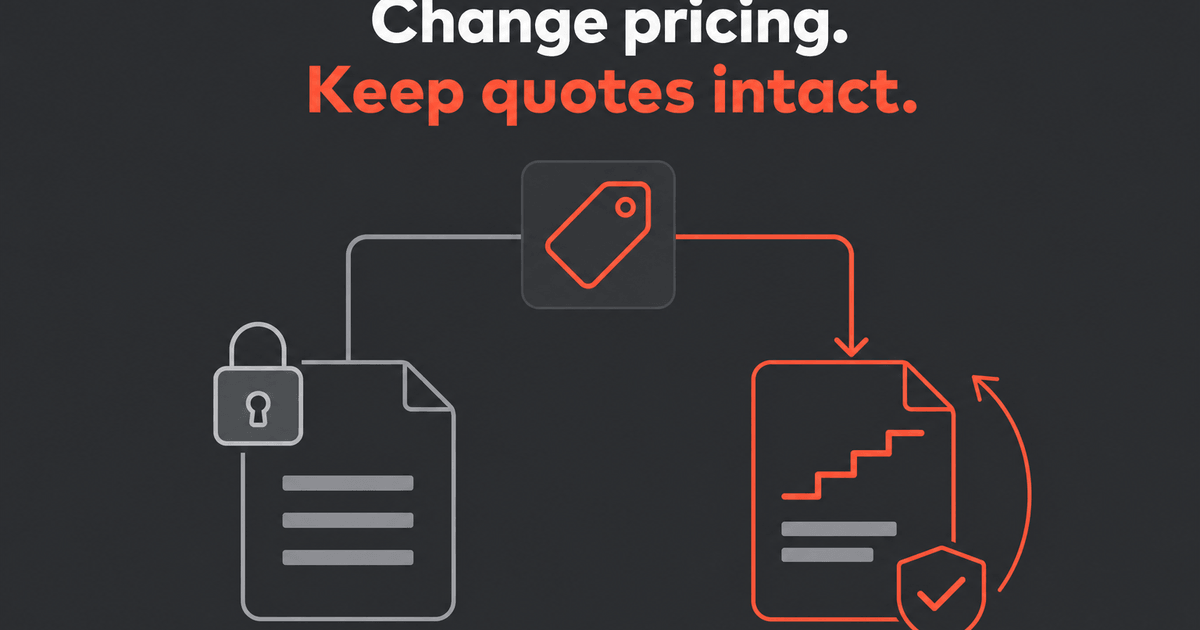
- Custom pricing at the subscription level, not the catalog level. A rep can negotiate custom terms for one customer without creating a new product that pollutes the catalog for everyone else.
- Quoting that only pulls from the governed catalog. Reps configure and combine real products, plans, and add-ons — including custom pricing — without generating one-off SKUs as a side effect.
- Subscription changes tracked as what they actually are. An upgrade, downgrade, or renewal on revised terms is recognized as a continuation of the same customer relationship, not a cancellation-and-new-sale pair, so NRR, GRR, and new-business ARR reflect what actually happened.
- Discount and pricing approval workflows, so custom terms go through a process instead of being configured ad hoc by whoever closed the deal.
This is exactly the gap Bunny is built to close — a billing platform designed for B2B SaaS from the ground up, where sales-negotiated pricing is a first-class capability rather than a workaround. If you’re running Stripe Billing today and recognize this pattern, Sidecar lets you connect your existing Stripe account and see your real subscriptions rendered through Bunny’s catalog and metrics logic — including which of your “new business” and “churn” events were actually upsells all along — before you change anything.
Frequently Asked Questions
Why does custom pricing in Stripe Billing create catalog problems?
Stripe Billing has no native way to apply custom pricing at the subscription level, so the common workaround is creating a new, customer-specific product or price in the catalog for every non-standard deal. Over time, the catalog fills with one-off products that were never meant to be reused, which skews any reporting built on top of it.
Why does a subscription upgrade sometimes show up as both churn and new business?
Most metrics tooling classifies revenue movement by tracking continuity between a customer’s old and new subscription state. When a custom, one-off product replaces the original plan mid-contract, that continuity breaks — the tooling sees an unrelated cancellation and a new sale instead of a single upsell.
Does this affect NRR and GRR even if total MRR looks correct?
Yes. Total MRR can look approximately right while its composition is wrong — revenue that was really expansion or a retained renewal gets misclassified as new business or churn, which distorts NRR, GRR, and new-business ARR even when the top-line number isn’t obviously off.
Is this a Stripe Billing bug?
No — it’s a fit issue. Stripe Billing is built for uniform, self-serve, product-led pricing, and performs well there. The distortion shows up specifically when sales-negotiated, custom B2B pricing gets forced into a platform designed around a different model.
How does Bunny prevent this?
By supporting custom pricing at the subscription level without requiring new catalog products, keeping quoting restricted to the governed catalog, and tracking subscription changes as continuations of the same customer relationship — so upgrades, downgrades, and renewals are classified correctly instead of appearing as false churn or phantom new business.
Bunny is billing and quoting built exclusively for B2B SaaS. Try Sidecar to see how your existing Stripe subscriptions and metrics would look through Bunny — no migration required.

One system of record for revenue
Stop reconciling the CRM against the billing system against the spreadsheet. Bunny keeps quoting, billing and analytics on the same data.