Using the Bunny product quickstart tool

How healthy is your quote-to-cash?
12 questions on pricing, renewals, billing and reporting. Takes two minutes.
Take the assessmentOverview
Bunny’s product quickstart tool streamlines the initial setup process for new accounts by enabling users to rapidly establish products and pricing plans. The feature is designed to reduce friction during onboarding while maintaining flexibility for future modifications.
Why Use the Product Quickstart?
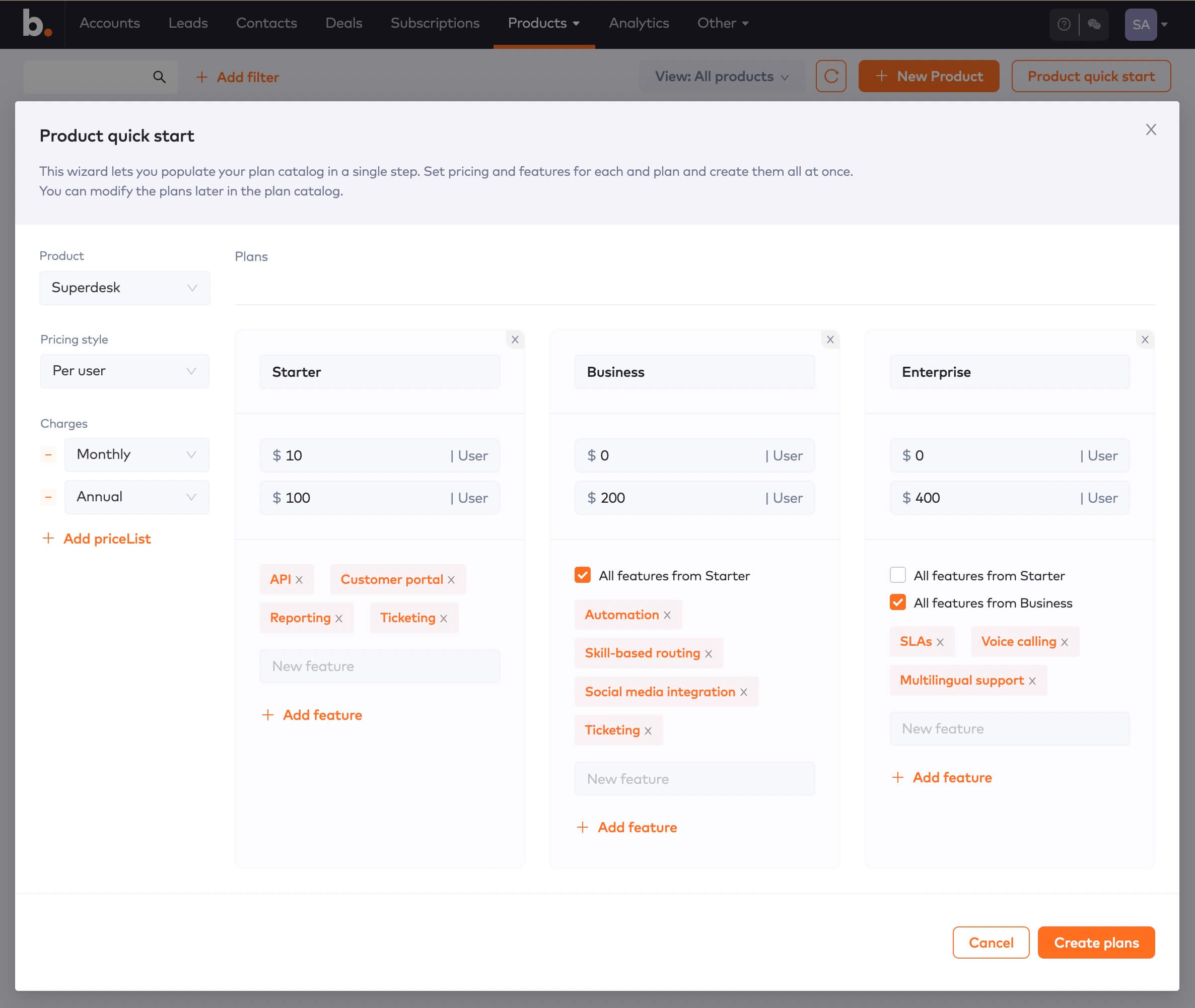
Foundation Building: Defining products and plans represents the foundation of your entire experience in Bunny and serves as the base for all subsequent subscriptions. The quickstart allows rapid creation of up to three plans with pricing and features.
Future Flexibility: The tool doesn’t lock users into initial choices. After setup, users can access the full product catalog to modify offerings, adjust pricing models, or refine plan features as needed.
Efficiency Through Feature Inheritance: A standout capability enables plans to inherit features from other plans via checkbox selection, eliminating redundant data entry and maintaining consistency across offerings.
Step-by-Step Implementation
- Access the Tool: Navigate via the Products menu and select Products
- Model Plans: Create up to three distinct plans with monthly and annual pricing options (additional plans can be added later)
- Leverage Inheritance: Use checkboxes to inherit shared features across plans
- Finalize: Click “Create plans” to complete setup
The quickstart tool provides an efficient entry point for new Bunny users seeking a streamlined onboarding experience.

See it running on your own data
Bunny handles quoting, subscriptions, usage, invoicing and revenue recognition in one platform. Free for 30 days, no card required.