Sales and Revenue Tools AI Agents Can Actually Operate

How healthy is your quote-to-cash?
12 questions on pricing, renewals, billing and reporting. Takes two minutes.
Take the assessmentFor B2B SaaS, our shortlist starts with Bunny for agent-operated CPQ and billing, HubSpot for CRM work, and Salesforce Agentforce Revenue Management for Salesforce-centered quoting. Each publishes an agent connection or native agent capabilities relevant to those jobs. (bunny.com) Stripe belongs on the shortlist for payment and billing API operations, Chargebee for agent access to an existing Chargebee environment, and ChartMogul for read-only revenue analysis. (docs.stripe.com)
The distinction here is what an agent can actually operate, not which product has the most AI features. We compare the connection, permitted actions and execution boundaries across the revenue stack.
This is Bunny’s assessment of fit based on published product documentation, not a hands-on benchmark. Our recommendation is to evaluate a bounded workflow before choosing a platform or granting production access.
What are the best sales and revenue tools to use with AI agents?
The best stack is the one that gives an agent enough authority to complete its assigned job, without giving it authority over everything else.
For evaluation purposes, divide revenue operations into five working areas:
- CRM: Find the right account, retrieve customer context and maintain sales records.
- CPQ and quoting: Turn a request into a valid commercial proposal.
- Billing: Prepare and execute subscription changes.
- Payments: Investigate transactions and carry out separately authorized money movements.
- Revenue analytics: Explain business performance using defined metrics.
Do not require one product to win every category. Instead, name the owner of each operation. For example, let the CRM agent prepare customer context while a separate billing connection handles commercial changes.
We have already discussed the importance of historical context in AI agents and memory for RevOps. Here, the narrower question is how to connect that context to tools with appropriate authority.
Which revenue operations tools work with AI agents?
Bunny, HubSpot, Stripe, Chargebee and ChartMogul document MCP connections; Salesforce documents native Agentforce revenue actions. Their interfaces do different jobs, so “works with agents” is only the beginning of the comparison. The table separates the documented connection from the decision you still need to make. (bunny.com)
| Tool and role | Documented agent connection | Read/action boundary | Our suggested first assignment |
|---|---|---|---|
| Bunny — quoting and billing | MCP server and built-in RevOps Agent | User-scoped tools; quotes are drafted before explicit application. (bunny.com) | Prepare a subscription-change draft for review |
| HubSpot — CRM | Remote MCP server | CRM reads and writes respect user permissions; availability depends on account configuration. (developers.hubspot.com) | Research an account and update an authorized deal field |
| Salesforce — CRM-connected quoting | Native Agentforce revenue actions | Quoting follows product and pricing rules while maintaining role-based access. (trailhead.salesforce.com) | Generate and revise a quote within the Salesforce workflow |
| Stripe — payments and billing | Hosted MCP server exposing API tools | Read and write tools, with permissions and environment-specific access controls. (docs.stripe.com) | Investigate a payment without initiating a refund |
| Chargebee — billing operations | System and custom MCP servers | Data lookup plus selected write operations; expose only the required tools. (chargebee.com) | Retrieve billing context, then test a narrowly scoped change |
| ChartMogul — revenue analytics | Remote MCP server | OAuth connection with read-only access. (dev.chartmogul.com) | Investigate a segment’s revenue movement |
These are starting assignments, not claims that the products serve only those purposes. Test the exact connection your team will deploy, with the permissions of the intended operator.
Choosing the best CPQ and billing tools for AI agents
For this category, prioritize the transition from proposed change to committed change. Ask the agent to prepare work first, and require evidence that execution is a separate, controlled step.
Bunny: when the agent needs to prepare commercial changes
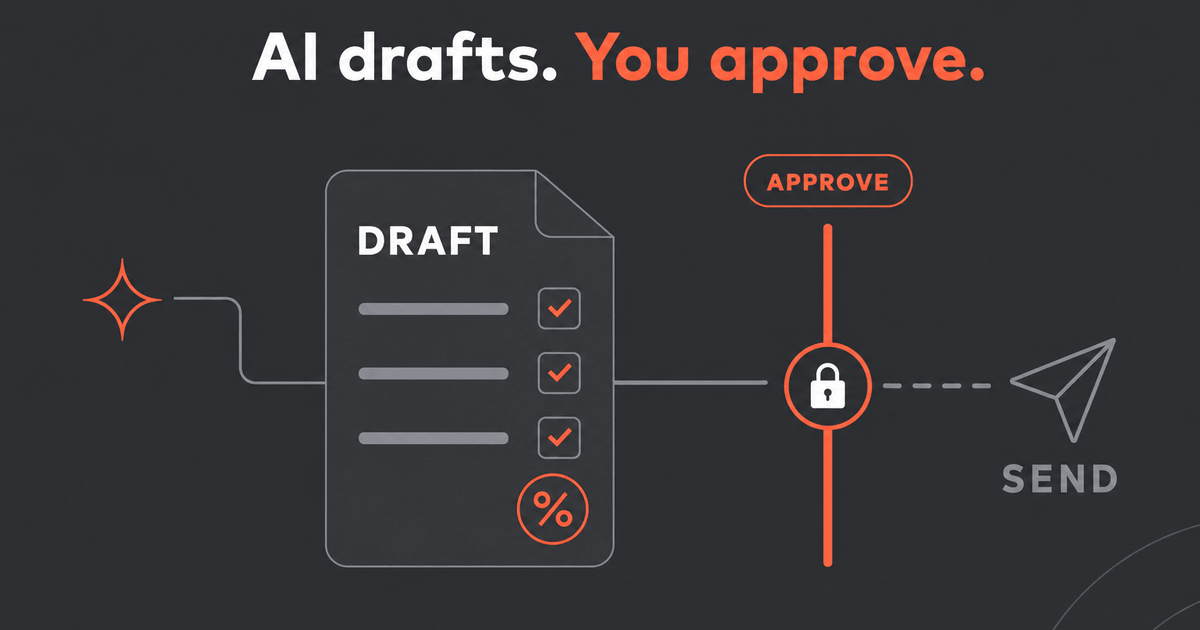
Bunny’s MCP documentation describes a compose-then-apply quoting flow. Agents can create draft quotes for new subscriptions, updates, renewals and pricing migrations. Applying a quote is a separate tool action; commercial changes to price, quantity, discount and dates go through quotes rather than direct subscription edits. (docs.bunny.com)
That makes Bunny a relevant candidate when the assignment is “prepare this customer’s change for review,” rather than merely “summarize this account.”
The Bunny RevOps Agent is available inside Bunny and through Slack, while external MCP-compatible clients can access its tools. Bunny also publishes agent skills that provide workflow guidance for those clients. (docs.bunny.com)
The important qualification: a draft boundary is not automatically an independent human approval gate. In your deployment, test who can invoke the application action and what confirmation is required. Do not assume that installing a connector establishes your company’s approval policy.
Salesforce: when quoting belongs inside the Salesforce operating model
Salesforce’s current revenue product is Agentforce Revenue Management, formerly Revenue Cloud. Its published scope includes pricing, quoting, contracting and billing. Salesforce also documents agent actions for creating and managing initial, renewal and amendment quotes. (salesforce.com)
We would favor evaluating Salesforce first when your implementation strategy is already centered on Salesforce revenue processes. Keeping agent work inside that model may be more appropriate than introducing a separate operating layer.
Ask the implementation team to demonstrate your actual configuration, not just a quoting playground. Which actions are enabled? Which role executes them? Where does a nonstandard request stop?
Salesforce’s setup documentation explicitly calls for the relevant revenue features and assigned permissions. Treat that setup as part of the project, not something implied by owning a CRM license. (help.salesforce.com)
Stripe: when engineering owns payment and billing workflows
Stripe’s MCP server exposes API discovery, read and write tools. Its documented methods include subscription operations, invoice previews and refunds. Stripe also documents human confirmation for certain write actions, including refunds and outbound payments, when agents act using user credentials. (docs.stripe.com)
We would put Stripe ahead of replacing the billing stack when your immediate need is to operate an existing Stripe integration and your engineering team wants to own the workflow.
Evaluate API coverage and business policy separately. A technically valid request is not necessarily an approved commercial decision. Require your implementation to enforce customer scope, action limits and escalation rules.
Also test authentication revocation in the environment you intend to use. Do not treat successful sandbox access as evidence of appropriate production access.
Chargebee: when extending the current billing environment is the priority
Chargebee documents separate MCP servers for knowledge, data lookup and onboarding, along with custom servers. Its June 2026 release notes added selected write operations, including customer and subscription management and collecting invoice payments. (chargebee.com)
For an existing Chargebee customer, our recommendation is to evaluate that connection before considering a migration solely for agent access.
Pay attention to which server you connect. A documentation assistant, a live-data lookup and an operational toolset should not be evaluated as though they grant the same capabilities.
Chargebee also states that approval behavior depends on the MCP client. Test your chosen client’s behavior rather than assuming every write will receive the confirmation your team expects. (chargebee.com)
The CRM and analytics tools around billing
Quoting and billing are only part of the assignment. Give customer context and business analysis their own evaluation criteria.
HubSpot: when the agent’s first job is CRM work
HubSpot’s remote MCP server supports reading CRM data and creating or editing records such as contacts, companies and deals. Its documentation says actions respect existing user permissions and that CRM writes respect conditional field logic, including custom pipeline-stage validations. (developers.hubspot.com)
We would start here for an agent that prepares account briefs, checks deal completeness or maintains authorized CRM fields.
Do not extrapolate CRM access into unrestricted revenue execution. HubSpot documents quote creation and management through MCP as beta, with additional scope and subscription requirements. Confirm the tools available in your own account. (developers.hubspot.com)
One useful acceptance test: ask the agent to advance a deal while deliberately omitting a required field. Require a clear explanation of the validation failure, not an attempt to bypass it.
ChartMogul: when the agent should investigate, not transact
ChartMogul’s remote MCP server provides access to revenue metrics, customer data and sales pipeline information through a read-only OAuth connection. Its documented uses include investigating segment performance and retention changes. (dev.chartmogul.com)
That is a useful boundary for a first analytics deployment. Choose it for an analytical assignment when you want the assistant to explore data without granting billing-write authority.
For evaluation, require every answer to identify the period, filters and underlying records or report. Then ask a follow-up that changes one filter. The agent should explain the changed scope rather than silently present a different number.
Read-only access is the right fit when the desired output is an investigation. Do not penalize an analytics connection for refusing to execute a subscription change.
What makes a revenue tool agent-ready?
Our buying checklist has six gates. A successful demo should show each one, not merely display a natural-language interface.
1. A real operational API
Require documentation for the objects and actions you need, including authentication, validation failures, pagination and recovery behavior.
Ask for the specific call behind “change this customer’s subscription.” If the answer is a sequence of screen clicks, evaluate that as UI automation rather than assuming it has the same operational contract as a documented API.
Make the vendor demonstrate an invalid request. You want a structured failure that your integration can handle.
2. A usable MCP server or native agent-action layer
MCP provides a standard way for an assistant to access tools and resources. It does not, by itself, establish a safe business process; MCP’s own guidance distinguishes descriptive tool annotations from enforceable security controls. (docs.bunny.com)
Inspect the actual tool list. Separate:
- Tools that search product documentation.
- Tools that read live customer records.
- Tools that prepare drafts.
- Tools that commit changes.
Require the connection to support the assignment you are buying it for.
3. Permissions that survive an inappropriate request
Test with a restricted user, not an administrator.
Try accessing an unauthorized account, changing a protected field and invoking an unavailable action. Require enforcement by the service or application, not merely a polite refusal generated by the assistant.
Use the same standard for untrusted content. Instructions embedded in customer documents or retrieved pages are a prompt-injection risk; tool annotations alone do not resolve it. (blog.modelcontextprotocol.io)
4. A clear approval and commitment boundary
Define the approval workflow before enabling writes.
For every operation, specify whether the agent may:
- Read the current state.
- Prepare a proposal.
- Request approval.
- Commit the approved proposal.
- Verify the resulting state.
Require approval to cover the exact proposed change. If the quantity, effective date or price changes afterward, require another review.
Apply separate policies to sending a quote, activating a subscription change and returning money. Do not bundle those permissions into a generic “revenue assistant” role.
5. An audit trail you can reconcile
Require evidence of the initiating identity, target record, requested action, approval and resulting state. Keep credentials and unnecessary customer data out of those records.
Ask where that evidence lives and how long it remains available. A chat transcript should not be your only acceptance artifact.
Stripe, for example, documents request identifiers linked to individual API request logs. That is a useful diagnostic building block, but your evaluation should still require the business context connecting the request to its authorization. (docs.stripe.com)
6. Recovery without duplicate work
Require a retry strategy for interrupted operations. Stripe’s API documents idempotency keys for retrying requests without accidentally repeating the same operation; verify the equivalent behavior for every critical action and integration path you use. (docs.stripe.com)
Designate a system of record for each object. After an uncertain result, require the workflow to check that authoritative state before trying again.
Do not accept “the assistant said it succeeded” as completion evidence.
A practical agent evaluation: interrupt the workflow
Use this hypothetical assignment with every shortlisted implementation:
Find the existing customer using its account ID. Prepare a change from 40 seats to 55 seats effective November 1, 2026. Preserve all other commercial terms. Do not activate the change or send anything to the customer.
Start in a test environment. Supply the same records and expected result to each vendor.
First, test identity. Include two similarly named accounts. Require the workflow to use the supplied identifier and stop if it cannot establish a match.
Second, test preparation. Require a draft showing the current quantity, proposed quantity, effective date and unchanged terms. Have a reviewer compare it with the expected result.
Third, test stale state. Change the underlying subscription after the draft is prepared. Require the workflow to detect the discrepancy and request review rather than apply an outdated proposal.
Fourth, interrupt execution. After approval, simulate an uncertain response. Require the integration to check whether the change occurred before retrying.
Fifth, test partial completion. Suppose the billing change succeeds but the CRM update fails. Require a precise status report and a recovery task. Do not allow the workflow to repeat the billing action simply to make both steps appear complete.
Score the result on correct identity, correct draft, enforced authority, attributable execution and successful recovery. Treat unauthorized writes and duplicate execution as failures, regardless of how convincing the conversation sounds.
Choose the smallest useful scope first
For your first deployment, pick one assignment: account research, draft preparation, payment investigation or revenue analysis.
Then choose the tool whose documented interface and permission model fit that assignment. Keep production writes disabled until the implementation passes your approval, audit and recovery tests.
For Bunny specifically, the documented draft-and-apply quoting flow is a concrete place to begin evaluating agent-operated commercial changes. (docs.bunny.com) For other parts of the stack, use the specialist that best fits your existing operating model.
Buy the ability to complete a controlled workflow — not merely the ability to connect an AI agent.

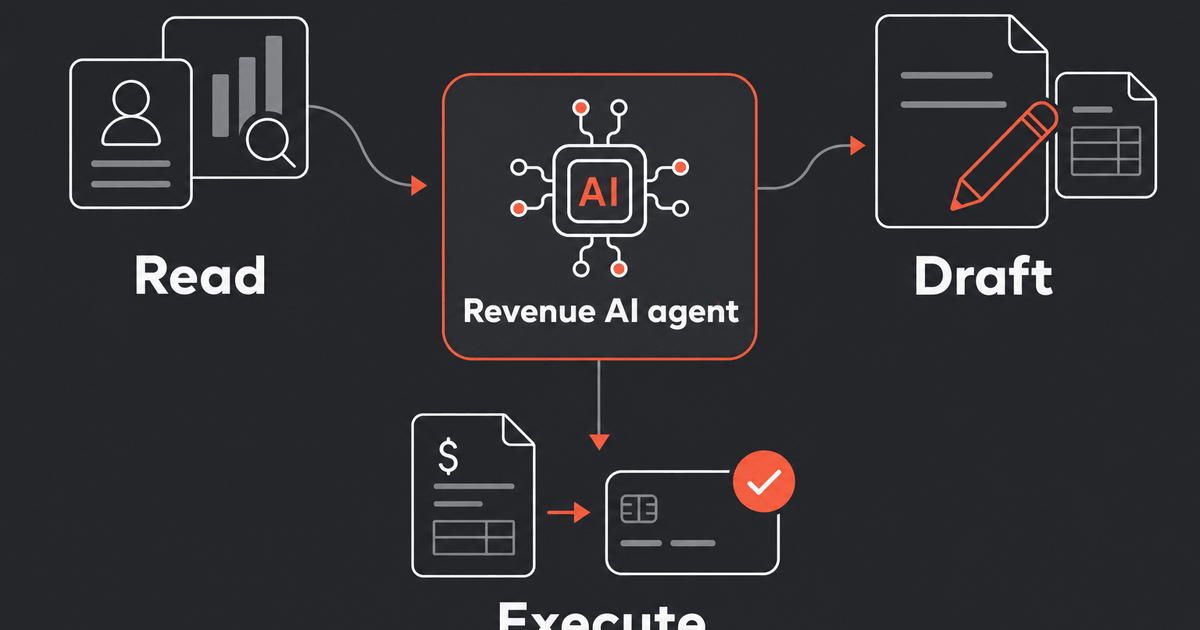
The RevOps expert your team never had
Bunny's AI agent knows your entire book of business and acts on it — flagging at-risk renewals, chasing overdue invoices and closing upgrades.